Missed calls
How does an AI receptionist book a job into your calendar?
An AI receptionist books a job by reading your open slots, taking the details, offering 2 times, and writing the event. The 6 steps and the rules you set.

An AI receptionist books a job in 6 steps: it reads your calendar, applies your rules, asks about the job, and offers 2 slots. Then it writes the event, texts a confirmation, and sends you a summary. It only books into time you have left open, under rules you set once.
The rules are what make it safe to hand over your calendar. This guide walks through each step of AI receptionist appointment booking and the setting behind it. For the wider picture of what these agents handle, start with AI phone answering for service businesses.
The short version
- The agent checks free and busy time the same way booking apps do, through your calendar's own availability lookup (Google Calendar API, Microsoft Graph).
- You set the rules once: hours, job length, travel buffer, notice, and how far ahead it may book.
- It asks about the job, offers 2 times instead of asking "when works for you?", then reads the booking back before it writes it.
- Jobs that need your eyes get the address, the problem, and a callback time, not a guessed slot.
- 53% of US homeowners are comfortable with AI handling initial inquiries (Housecall Pro survey, October 2025).
What happens between "hello" and a booked job?
The 6 steps happen in this order, and most take seconds. The table shows what the agent does at each step and what you decide ahead of time.
| Step | What the agent does | What you set once |
|---|---|---|
| 1. Look | Reads free and busy time on your calendar | Which calendar it reads and writes to |
| 2. Filter | Drops slots that break your rules | Hours, job length, buffer, notice, booking window |
| 3. Ask | Collects name, number, address, and the job | The questions for each type of job |
| 4. Offer | Proposes 2 open times | How many options it offers |
| 5. Write | Reads the booking back, then creates the event | What goes in the event title and notes |
| 6. Confirm | Texts the caller and sends you a summary | Who gets the summary, by text and email |
The order matters. An agent that asks for a time before checking the calendar ends up promising slots you do not have. A good one looks first and asks second.
Connect the calendar you already use
The agent books into your existing calendar, not a new one. Most service businesses already run Google Calendar, Outlook, or field software, and that stays the single source of truth.
Under the hood, it asks the calendar a simple question: which times are busy? Google's calendar interface has a dedicated request that "returns free/busy information for a set of calendars" (Google for Developers). Microsoft's equivalent gets "the free/busy availability information" for people or rooms over a time period (Microsoft Learn).
Booking apps work the same way. Calendly's help page says that once connected, it "checks your calendar for busy times and adds new meetings to it" (Calendly).
So a lunch with your supplier, blocked in your phone, already blocks the agent. If your crew lives in Jobber or Housecall Pro, connect that instead, so the office and the phone see the same day.
Set the rules for what counts as an open slot
A blank square on your calendar is not automatically bookable. You tell the agent which gaps count, and it ignores the rest. These 5 rules cover most trades:
- Working hours. When jobs can start, per day of the week.
- Job length. A gutter clean is not a roof inspection. Give each job type its own length.
- Travel buffer. Time between jobs to drive, load, and eat.
- Notice. How soon a new job may start, so nobody books you 20 minutes from now.
- Booking window. How far ahead it may book.

Here is a real rule set, from the booking picker on our own site for a call with Sami. It offers weekdays only, 10:30 am to 3:30 pm Eastern, on the half hour. Nothing inside the next 2 hours, and nothing more than 14 days out.
Those 3 lines stop the worst bookings: the 7 am surprise, the slot nobody can prepare for, and the job booked a month out. Write yours the same way, in plain sentences, before anyone connects a calendar.
Decide what it asks before it books
The agent should collect everything you need to show up ready, and nothing more. A booked job with no address or a vague description is a callback waiting to happen.
The baseline is short: name, callback number, service address, and what the job is. Then add 1 or 2 questions per trade.
A mover needs the floor and whether there is an elevator. A roofer needs the roof type and whether it is leaking now, and a mobile detailer needs the vehicle size. Callers are more open to these questions than many owners assume.
53% of US homeowners are comfortable with AI handling initial inquiries (Housecall Pro survey of 1,040 homeowners, October 2025).
For questions by trade, see the hub guide on AI phone answering, which covers what to leave to you. Start with the baseline above, and add a question only when a missing answer has cost you a trip.
Offer 2 times, not an open question
Offer 2 specific slots. "When works for you?" starts a back and forth that runs long and often lands on a time you do not have. A good exchange sounds like this:
- Agent: "I can get someone out Thursday between 9 and 11, or Friday between 1 and 3. Which is better?"
- Caller: "Friday."
- Agent: "Friday between 1 and 3 at 42 Birch Street, for a leaking kitchen tap. Is that right?"
The read back is the important part. It catches a wrong street number before your truck drives there. If neither time works, the agent offers the next 2, then takes a preferred time for a callback instead of looping.
Use arrival windows rather than exact times for field work. A 2-hour window is honest about traffic and the job before.
Write the event and confirm by text
Once the caller says yes, the agent creates the event and texts a confirmation before the call ends. The event carries everything the agent asked, so you can read it in the truck without calling anyone back.
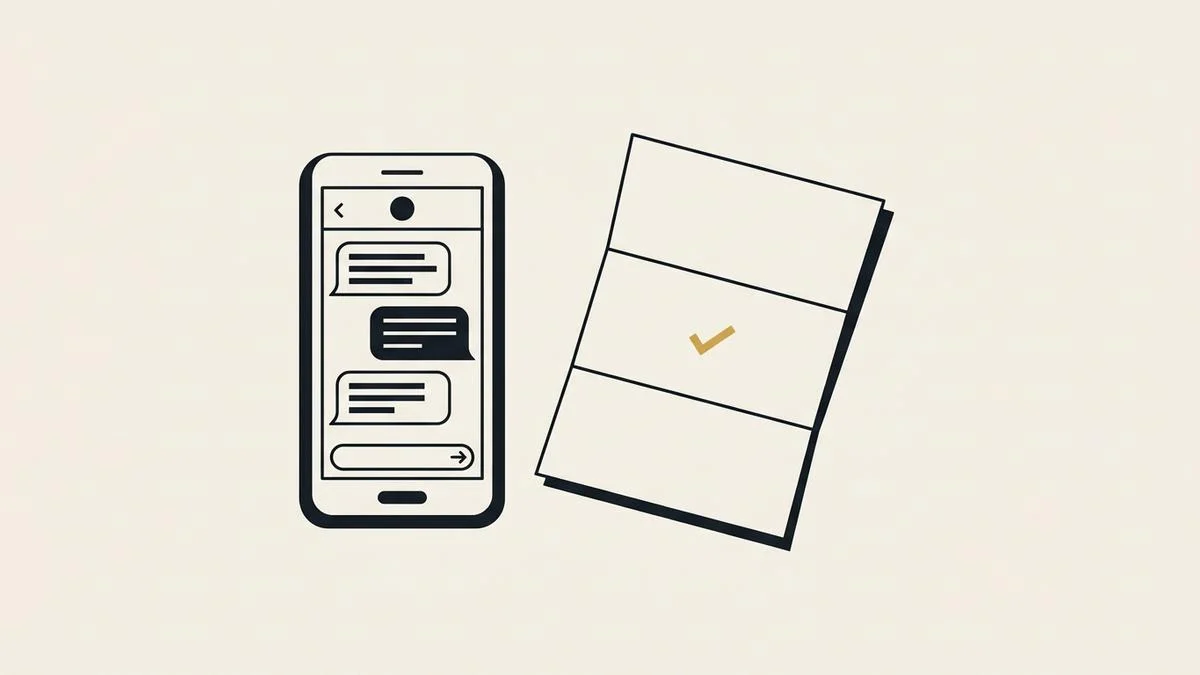
A useful event title reads like a work order: "Leaking tap, 42 Birch St, Friday 1 to 3." The notes hold the caller's number and the answers to your questions.
For the confirmation text, have the agent ask first: "Can I text the details to this number?" Canada's anti-spam law sets consent rules for commercial electronic messages, and its definition of a message includes text (Justice Laws Website).
In the US, the FCC's rule on calls and texts also turns on consent (47 CFR 64.1200). This is not legal advice, so check the details for your province or state.
Decide what it should not book
Some calls should end with a callback, not a slot. Tell the agent which jobs need your judgment first, and it takes the details instead of guessing.
| Book it directly | Take details and hand it to you |
|---|---|
| A standard job with a set length and price | A large or unusual job that needs a site visit to scope |
| A follow-up visit for an existing customer | A complaint or a dispute about past work |
| A slot inside your rules | A request outside your hours or service area |
| A caller who wants the next open time | An emergency you want to hear about now |
Our own agent follows this split. If there is a slot you left open, it goes on your calendar. If the job needs your eyes, it takes the address, the problem, and the best time to reach the caller.
How many businesses already use AI?
Still a minority, but the share is climbing fast. In the second quarter of 2026, 19.2% of Canadian businesses used AI to produce goods or deliver services (Statistics Canada). That is triple the 6.1% of 2024, and 28.2% of those users run virtual agents or chat bots.
In the US, overall business AI use hovered between 17% and 20% from December 2025 to May 2026 (US Census Bureau). That leaves roughly 4 in 5 US businesses with no reported AI use.
What does this look like on a real business?
The booking lands where the business already works. On the site we built for The Groom Room, a Vancouver dog groomer, every Book button opens the salon's MoeGo calendar (the Groom Room case study). Nothing new for the groomers to check.
The phone works on the same principle. Samro Studios builds quoting agents for service businesses.
The agent's phone side (the AI receptionist on our site) answers when you cannot pick up, quotes your rates, and books an open slot. It connects to Google Calendar, Outlook, or the software you already run, such as Jobber, ServiceTitan, or Housecall Pro.
After each call you get a summary: who called, what they wanted, what the agent told them, and what is now on your calendar. Jessica, the demo agent on our AI receptionist page, takes your details for a callback. She does not book into a live calendar, because there is no real crew behind her.
Other builds are on the portfolio. Write your 5 booking rules and send them to us on the contact form. We will show you how the agent would book your week.
Frequently asked questions
Can an AI receptionist double book appointments?
Not when it is set up correctly: it checks busy time first, using the same lookup Google Calendar and Outlook give booking apps. It only offers gaps that pass your rules. Keep one calendar as the source of truth so the agent sees every job.
Which calendars can an AI receptionist book into?
Most connect to Google Calendar and Outlook, and many to field service software. Our quoting agent works with Google Calendar, Outlook, Jobber, ServiceTitan, Housecall Pro, AccuLynx, and JobNimbus. Before you buy any agent, ask the vendor to book a test job into your real calendar while you watch it appear.
What if the caller wants a time that is not open?
The agent offers the next 2 open times. If none suits the caller, it takes a preferred day and time, then sends you the request for a callback. It should never squeeze a job into a blocked slot, because your booking rules decide what counts as open.
Can it reschedule or cancel a booking?
That depends on the agent and on how you set it up. Some owners let it move a job to another open slot; others want every change to go through them. Decide before launch, and make sure any change sends you the same summary as a new booking.
Do customers mind booking with an AI on the phone?
Many do not: in the Housecall Pro survey cited above, 53% of US homeowners said they are comfortable with AI handling initial inquiries. What callers notice is speed and accuracy: a real time, read back correctly, and a confirmation text. Our article on whether AI receptionists sound robotic covers the voice side.
Sami Bdeira is the founder of Samro Studios, which builds quoting agents and custom tools for service businesses in the United States and Canada.